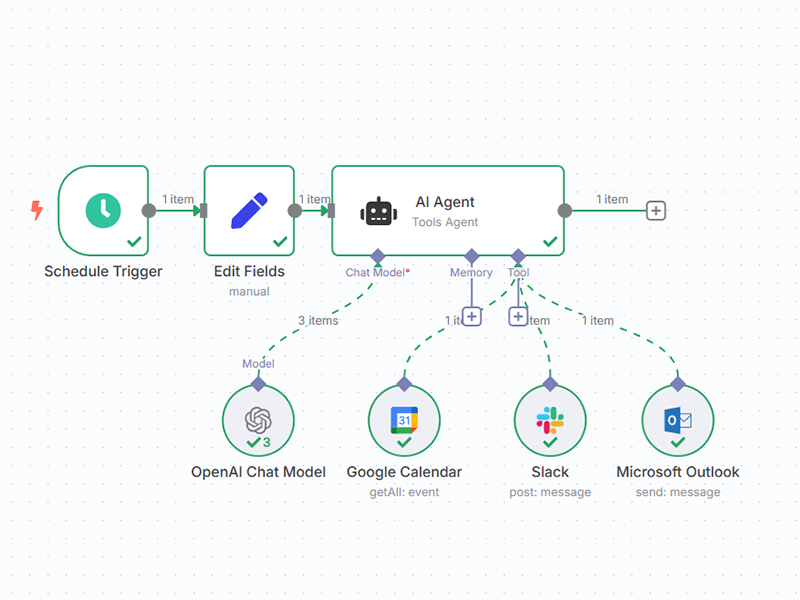
Research for Upcoming Meeting Creator: Summer Chang Never walk into a meeting unprepared again! This workflow automatically researches your meeting contacts every morning and emails you the latest news and insights about the companies you're meeting with today. ✅ Step 1: Set Your Morning Briefing Time Open the Every morning @ 7 Schedule Trigger and adjust the time when you'd like to receive your daily meeting briefings. The default is set to 9 AM. ✅ Step 2: Connect Your Google Calendar Link your Google Calendar credentials to the Get meetings for today node. This allows the workflow to scan your calendar for external meetings. ✅ Step 3: Connect Your Tavily Research API Add your Tavily API key to the Research Company/Person node. This powers the intelligent research that finds recent news and insights about your meeting contacts. ✅ Step 4: Link Your Gmail Account Connect your Gmail credentials to the Send news node so your research briefings can be automatically delivered to your inbox each morning. ✅ Step 5: Customize Your Email Settings In the Send news node, update: Send To: Your email address Sender Name: Customize how the emails appear in your inbox ✅ Step 6: Activate the Workflow Once everything is connected, set the workflow to active so it runs automatically each morning and keeps you prepared.